How contractors use the GovernmentQB Market Research dashboard
Whether you are chasing your first federal award or planning your next re-compete, the dashboard is built around your own keywords and NAICS codes. Here is how contractors put it to work.
Screenshots show the real pages with made-up example data.
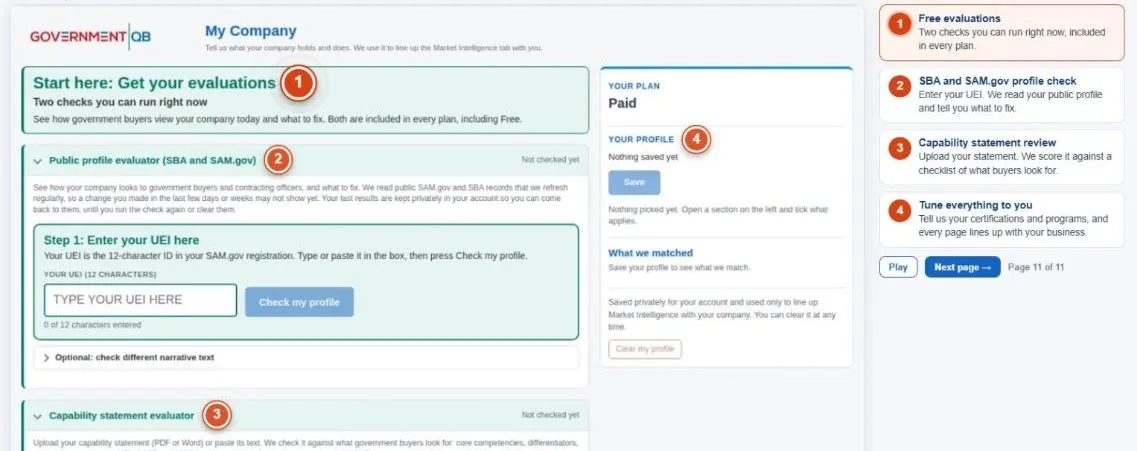
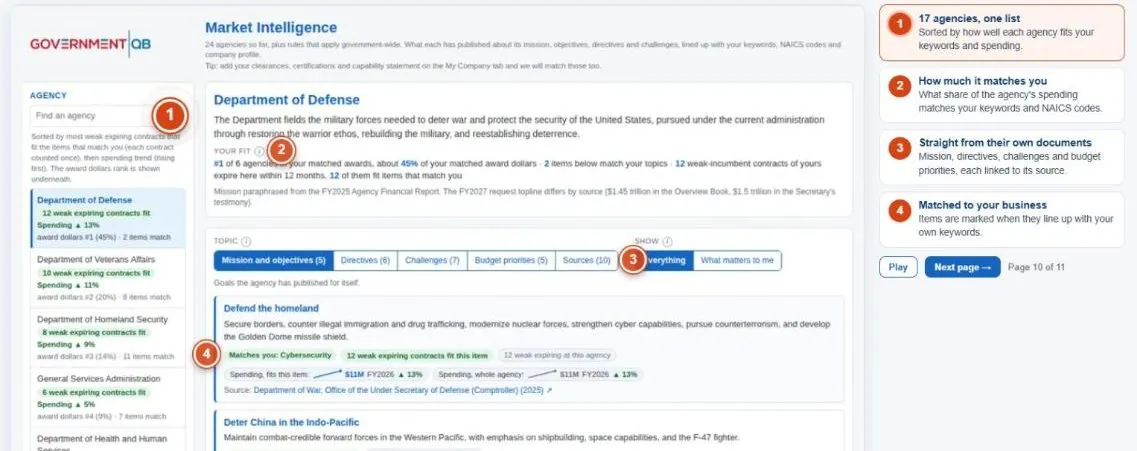
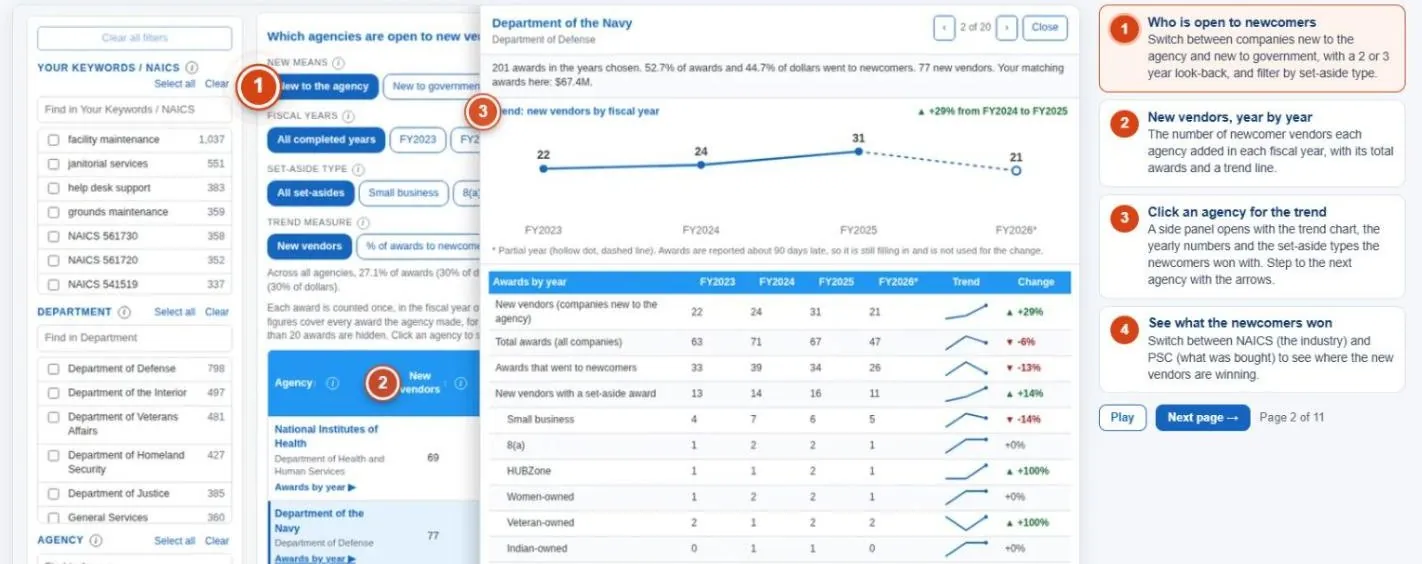
How does a new small business find its first agency?
You are registered in SAM.gov but not sure which agencies buy what you sell, or whether your public profile helps or hurts you.
Start with the free evaluations of your SBA and SAM.gov profiles. Then use Market Intelligence to see what each agency cares about, and New Vendors to find agencies that actually award to newcomers.
Pages used: My Company (Free), Market Intelligence (Free), New Vendors (Paid)
How do I plan for re-competes and spot weak incumbents?
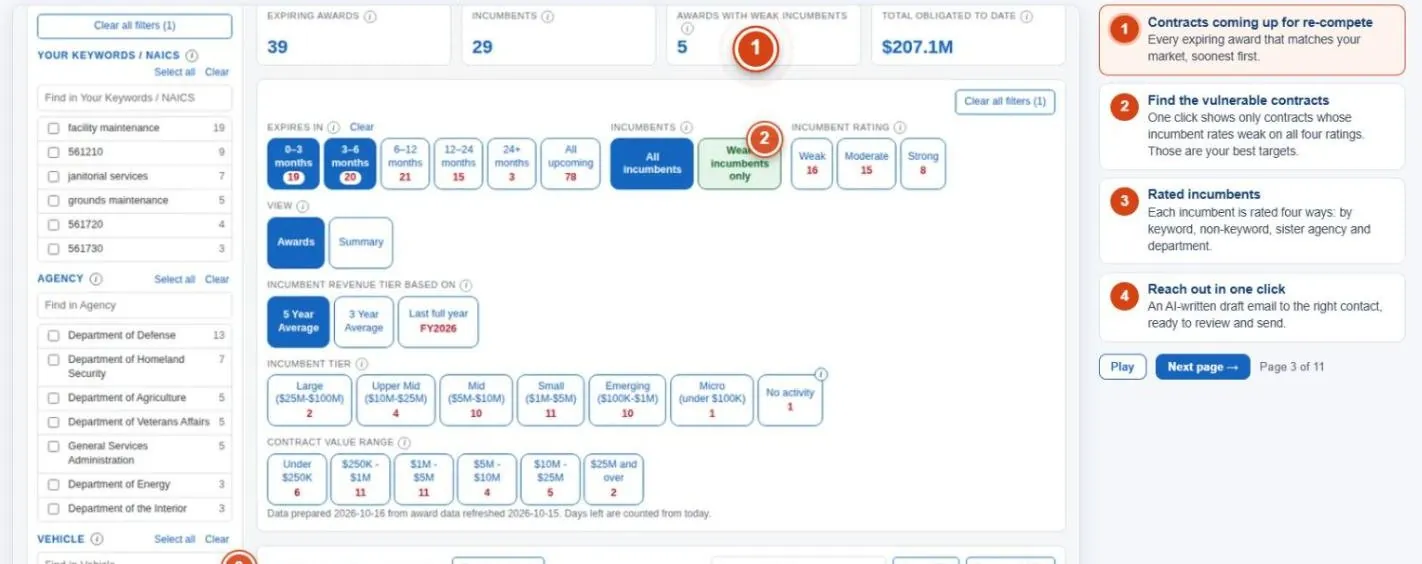
You want to win work another company holds today, and need to know which contracts are coming up and which incumbents are vulnerable.
Expiring Contracts lists every award in your market coming up, soonest first, with incumbents rated weak, moderate or strong. Filter to weak incumbents, then reach out with an AI-written draft email.
Pages used: Expiring Contracts and Recompetes (Paid), Account Intelligence (Paid)
How does a business development lead build a target list?
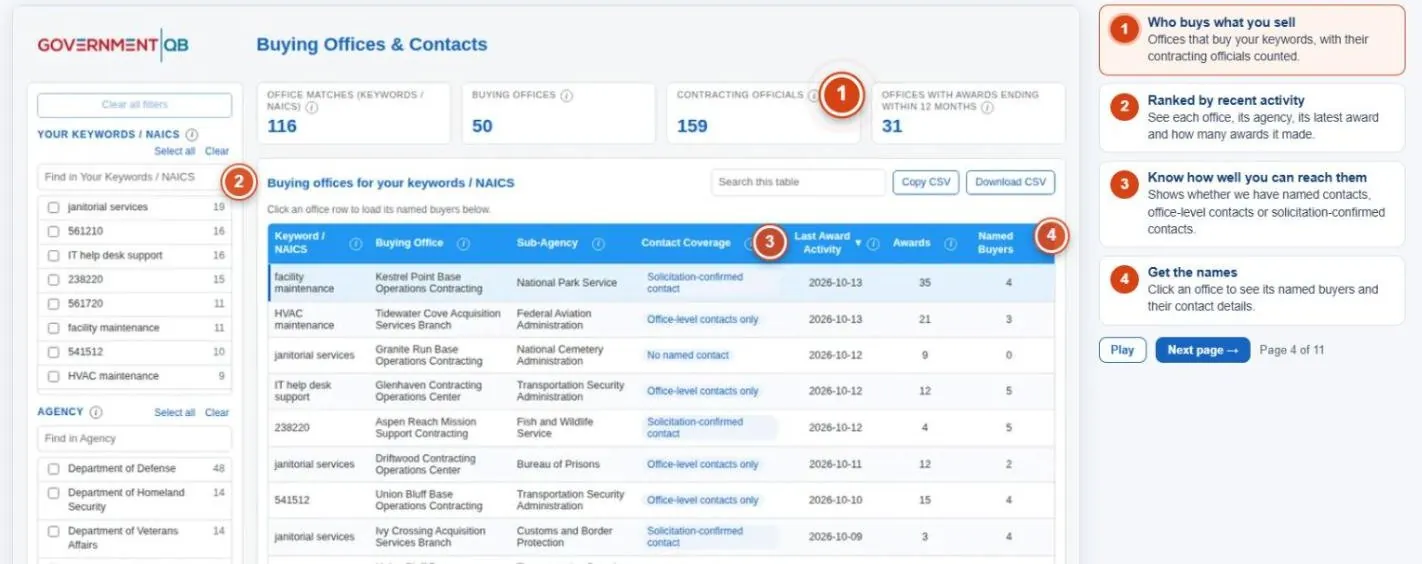
You need the right buying offices and the right people, not a long list of every agency.
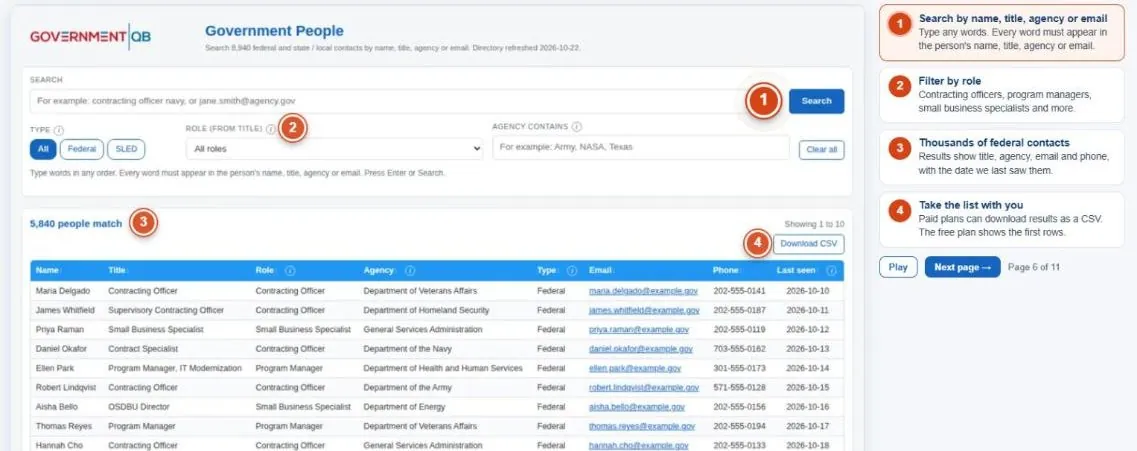
Buying Offices and Contacts ranks offices by recent activity and shows how well you can reach each. Government People searches contracting officers, program managers and small business specialists by agency, role or email.
Pages used: Buying Offices and Contacts (Paid), Government People (Free (limited) · Paid (full, CSV))
How do I find teaming partners or a prime to team under?
You need a partner with a capability, status or contract vehicle you do not have, or a prime you could team under.
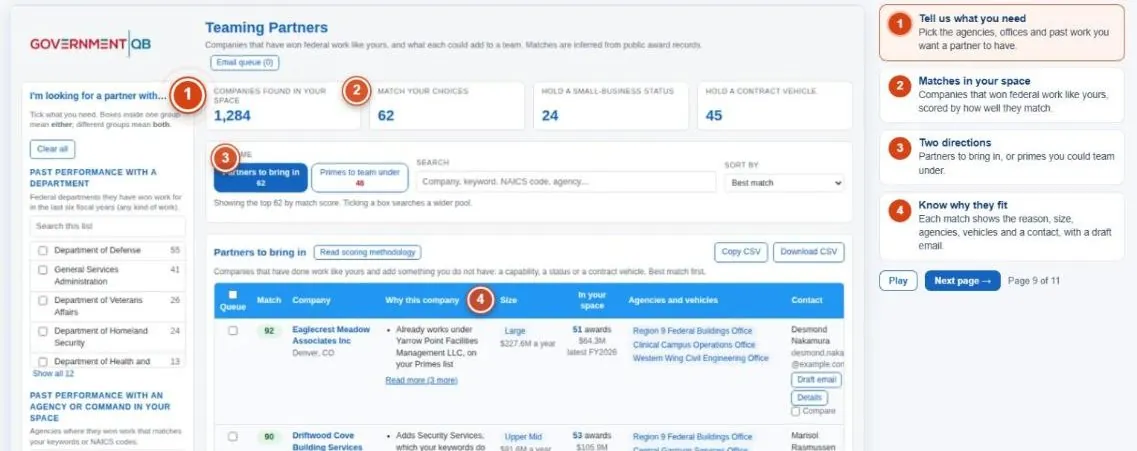
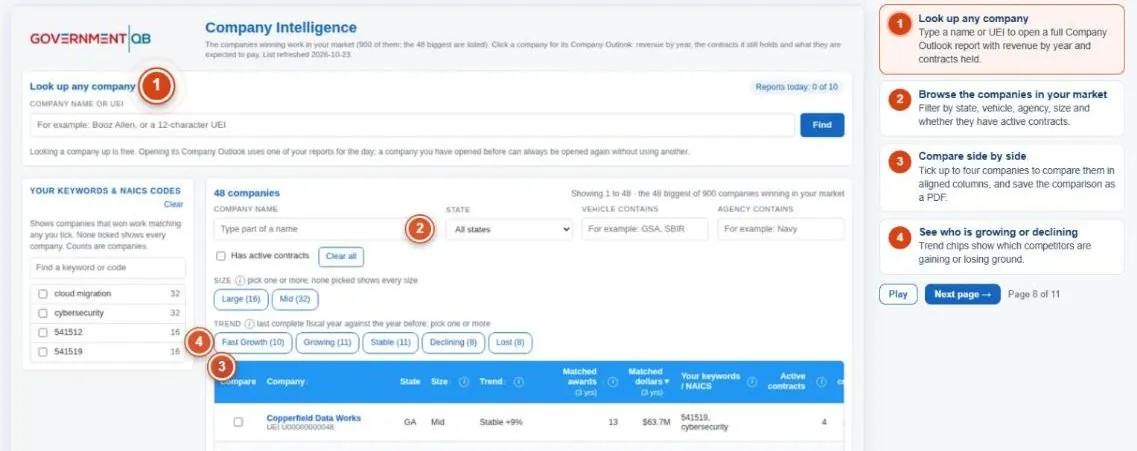
Teaming Partners scores companies that have won work like yours and tells you why each fits. Company Intelligence opens a full outlook on any company and compares up to four side by side.
Pages used: Teaming Partners (Paid), Company Intelligence (Paid)
How does a capture manager study one agency?
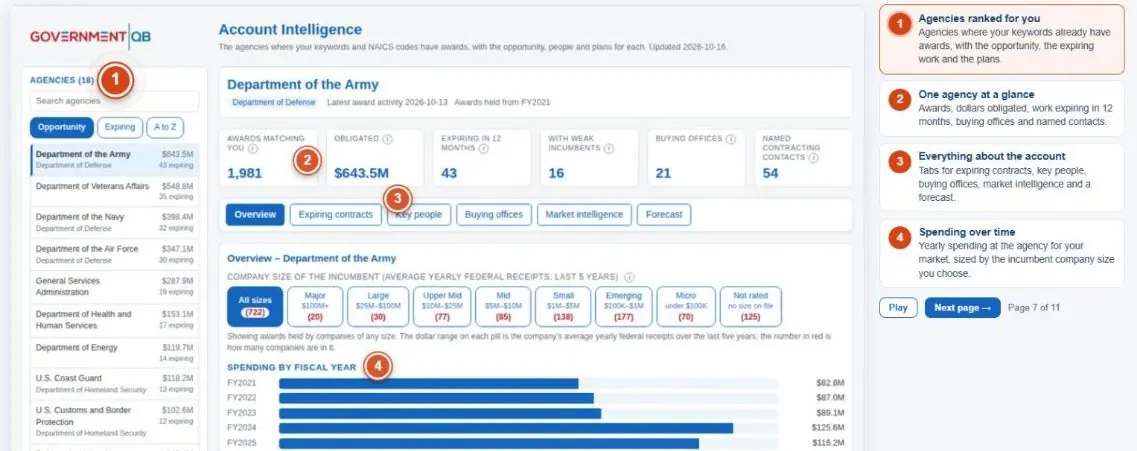
Before you pursue an agency, you want its spending, plans and people in one place.
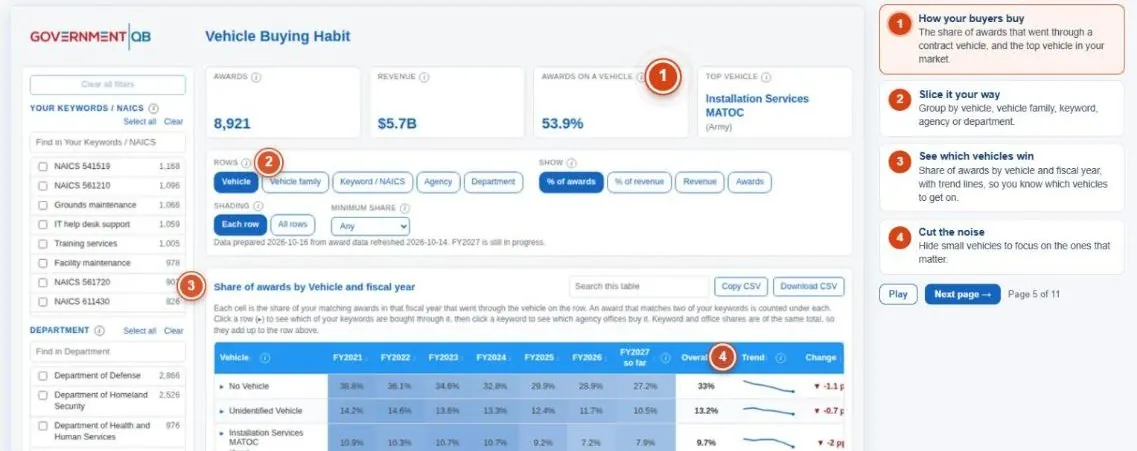
Account Intelligence gives every agency its own page: spending over time, expiring work, key people, buying offices, market intelligence and a forecast. Vehicle Buying Habit shows which contract vehicles its buyers use.
Pages used: Account Intelligence (Paid), Vehicle Buying Habit (Paid)
Is my market growing or shrinking?
You want to know whether your market is growing and which keywords and agencies drive the change.
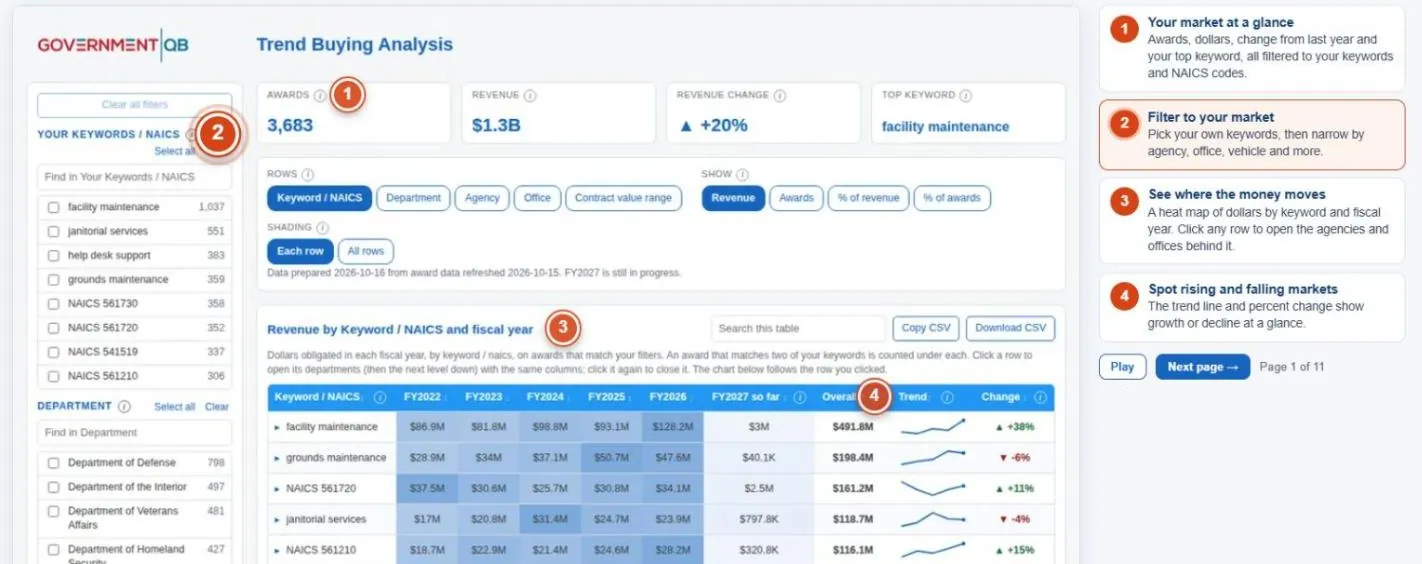
Trend Buying Analysis shows awards and dollars by fiscal year for each keyword and NAICS code, with a trend line and percent change, down to the agencies and offices behind each number.
Pages used: Trend Buying Analysis (Paid), Vehicle Buying Habit (Paid)
Want these pages for your own market? Get the full dashboard, or start with the free tier.
Choose your plan
Start free. Upgrade when you want the full market dashboard.
Free
No card needed
Know how the government sees your company
- SBA profile evaluation
- SAM.gov registration evaluation
- Capability statement review (optional AI review)
- Market Intelligence on 17 agencies
- Government People lookup (limited)
- My Company profile
Paid
Find the buyers, the contracts and the partners
Everything in Free, plus:
- Trend Buying Analysis
- Agencies open to new companies
- Expiring Contracts and recompetes
- Buying Offices and Contacts
- Vehicle Buying Habit
- Account Intelligence
- Company Intelligence
- Teaming Partners
- Full Government People with CSV
- Capability statement builder
- SBA narrative writer
- AI assistants and emails
After you pay, come back to this page, click Sign in and use the same email address you paid with. We set up your pages from your keywords within about a day. Rather look around first? Start free.
Want expert help acting on what you find?
Frequently asked questions
Who is the GovernmentQB Market Research dashboard for?
Small businesses new to government, contractors planning for re-competes, business development leads, companies looking for teaming partners, and capture managers studying one agency.
How do I find which federal agencies buy what I sell?
Start with Market Intelligence to see what each agency says it cares about, then use New Vendors to find agencies that award to companies new to them.
How can I find contracts coming up for re-compete?
Expiring Contracts and Recompetes lists every expiring award in your market, soonest first, with each incumbent rated weak, moderate or strong.
How do I find contracting officers and buyers?
Buying Offices and Contacts ranks offices by recent activity and shows named buyers. Government People lets you search federal contacts by name, title, agency, role or email.
Still deciding? Start with the free tier, or get the full dashboard now.
How do I find teaming partners for government contracts?
Teaming Partners scores companies that have won work like yours and explains why each fits. Company Intelligence lets you compare up to four companies side by side.
Is there a free version?
Yes. The Free plan is $0 with no card required and includes SBA and SAM.gov evaluations, a capability statement review, Market Intelligence on 17 agencies, a limited Government People lookup and your My Company profile. The Paid plan is $50 per month and adds the full dashboard.
What do I get with the Paid plan?
Everything in Free, plus Trend Buying Analysis, Agencies open to new companies, Expiring Contracts and recompetes, Buying Offices and Contacts, Vehicle Buying Habit, Account Intelligence, Company Intelligence, Teaming Partners, full Government People with CSV download, a capability statement builder, an SBA narrative writer, and AI assistants and emails. It costs $50 per month, cancel any time.
See how government buyers see your company.
Start free in a minute. No password and no credit card. Upgrade to the full dashboard for $50 per month.
Get free access